![Shape 1.png]](https://kennis.myway.app/hs-fs/hubfs/Shape%201.png?height=40&name=Shape%201.png)
Don’t have the MyWay app yet and haven't made a reservation? No problem. At many locations, you can park immediately by scanning a QR code.
1. Entering and starting your session
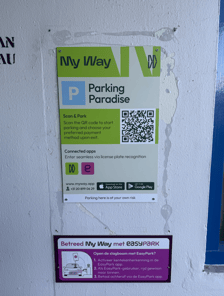
At the entrance of the parking location, you will often find a MyWay sign with a QR code.
-
Scan the QR code at the entrance with your phone's camera.
-
Enter your license plate on the webpage that opens.
-
Your "Park Direct" session will now start automatically. The barrier or gate will open immediately.
As soon as you scan the QR code and enter your license plate, you will see the applicable parking rate before you start the session.
2. Returning to your car (Pedestrian access & Payment)
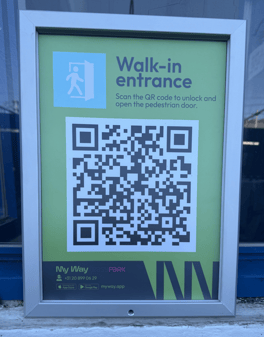
Do you need to go through a locked door to get back to your car? Use the QR code on the pedestrian door. After entering your license plate, you have two options:
-
Do you want to leave immediately? Click "Continue to payment." Once the payment is completed, you have 20 minutes to leave the parking garage.
-
Just need to get something from the car? Click "Open pedestrian gate" if you only need to grab something from your car and are not leaving yet.
3. Exiting at the parking location
-
Drive your car to the exit of the premises.
-
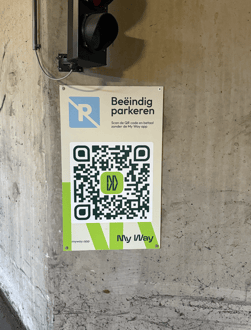
Scan the QR code located at the barrier/exit.
-
Pay the parking costs via your phone if you haven't already done so. The barrier will open, and you can exit.
4. Managing your booking or downloading an invoice
Would you like to view your invoice or manage your parking session afterwards?
-
Download the MyWay app.
-
Register and add the same license plate number.
-
You will find your session under the second icon at the bottom (Bookings).
-
Here you can easily download your invoices.
Need help? Please contact our Live Support via WhatsApp